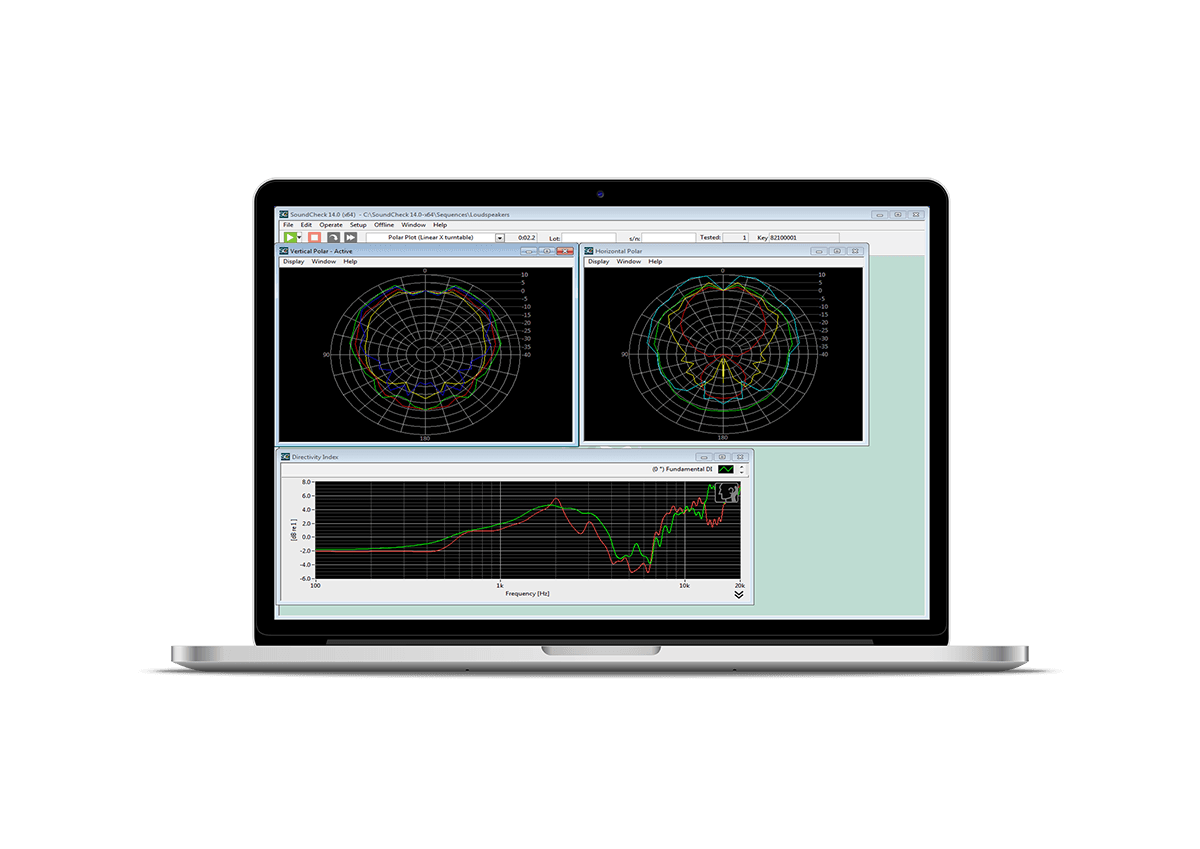

Listen Inc has just launched SoundCheck 24, which introduces a range of new features to help reduce test development time and provide greater flexibility in your electroactoustic testing.
From a completely new quick measurement interface to enhanced calibration management and improved data visualisation, SoundCheck 24 helps engineers spend less time configuring tests and more time analysing results.
What can you expect from SoundCheck 24?
FastTrak: Measurements Without Building Test Sequences
One of the standout additions in SoundCheck 24 is FastTrak, a streamlined interface that allows users to perform common electroacoustic measurements using SoundCheck and compatible Listen audio interfaces.
Designed for loudspeaker testing (additional applications coming soon!), FastTrak enables users to configure hardware, calibrate microphones, select stimuli and perform measurements such as:
- Frequency response
- Total Harmonic Distortion (THD)
- Rub & Buzz
All from a single window!
Calibration
The introduction of Calibration Profiles allows users to create different calibration configurations for individual test rooms, fixtures, operators or applications. Rather than editing sequences each time hardware changes, the same SoundCheck sequence can be reused while simply selecting a different calibration profile. The calibration interface itself has also been redesigned, combining signal paths and calibration data into a single view for quicker editing and easier navigation.
Additional enhancements include:
- Multi-selection for faster configuration changes
- Automatic detection of all connected TEDS microphones
- Direct calibration from within an open test sequence
New Directivity Plot Visualisation
SoundCheck 24 introduces a new Directivity Plot, giving engineers an additional way to visualise directional loudspeaker performance. Unlike a traditional polar plot, the Directivity Plot displays frequency along one axis and measurement angle along the other, using colour to represent sound level. This provides an instant overview of directional behaviour across the entire frequency range.
Improved Graphing and Data Analysis
Several improvements make analysing measurement results quicker and more intuitive. Such as graph legends can now be positioned anywhere within a graph window, maximising available screen space while allowing individual traces to be shown or hidden instantly. This makes comparing multiple measurements significantly easier, particularly when working with large datasets.
Harmonic analysis has also become more flexible, with options to suppress unnecessary harmonic outputs while still calculating metrics such as THD and Rub & Buzz. Engineers can also specify the harmonic frequency range used during analysis, helping to keep datasets cleaner and more focused.
Greater Flexibility for Automated Test Systems
For engineers developing automated measurement systems, SoundCheck 24 includes several useful enhancements such as new TCP/IP commands simplify remote system control, including hardware refresh functions and expanded support for calibration management.
Multi-Instrument functionality has also been extended with:
- Real-time Power Sum calculations for multi-channel measurements
- Automatic Track Maximum cursors for following moving peaks
- Faster handling of grouped measurements
These additions are particularly important for automotive audio testing and other complex multi-channel applications.
Whether you’re testing loudspeakers, microphones, headphones or complete audio systems, SoundCheck continues to be one of the industry’s most comprehensive audio test and measurement platforms.
If you’d like to learn more about SoundCheck 24 or discuss upgrading your existing system, contact the AcSoft team for expert advice and support.